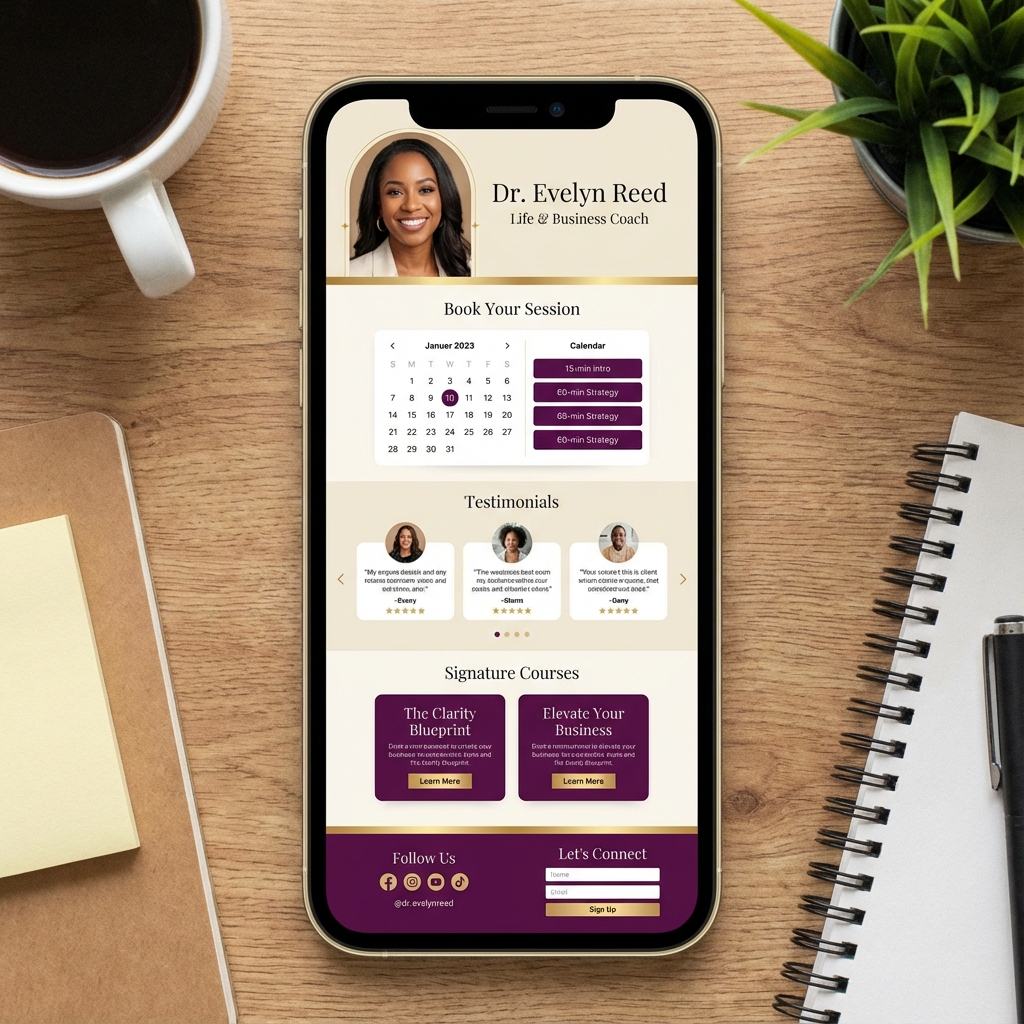
The Perfect Link-in-Bio Setup for Coaches (With AI That Books Calls for You)
For a coach, consultant, or service provider, your "link-in-bio" is the most important piece of real estate in your digital ecosystem. It is the gatekeeper between a high-intent social media follower and a paying client on a discovery call. Yet, most coaches are still using Phase 1 tools like Linktree that were designed for musicians and bloggers, not for high-ticket service businesses. When you're selling a $2,000 - $10,000 package, a list of 15 buttons is a conversion killer. Your prospects have deep questions, they need to feel qualified, and they want to see your expertise before they commit to a call. In this guide, we’re showing you how to build the perfect link-in-bio setup for coaches using the latest in conversational AI. We’ll look at why you need a Linktree alternative for coaches and how to automate 80% of your pre-call vetting.
Table of Contents
- Why Linktree is Failing Modern Coaches
- The Pillar of High-Ticket Conversion: Trust
- The Concept of the 'Digital Discovery Call'
- Step-by-Step: Setting Up Your Smart Bio Page
- The AI Training Checklist for Consultants
- Top 5 Features Every Coach Bio Needs
- Case Study: Automating 400+ Vetting Calls
- FAQ Section
Why Linktree is Failing Modern Coaches
Linktree served a purpose in 2016. In 2025, it is a liability for high-value services. Here is why:
- The Paradox of Choice: When you give a prospect 10 equivalent buttons, they often click none. Coaches need a clear path: Learn -> Qualify -> Book.
- Absence of Proof: A button labeled "My Framework" is just a link. A conversational assistant that can explain your framework using your specific terminology is an authority-builder.
- Zero Vetting: Linktree sends anyone who clicks to your Calendly. This results in "Cal-Overload" with unqualified leads who "just want to pick your brain." According to research from Drift, the lead response time window is under 5 minutes. If you don't engage your coaching lead while they are on your bio page, the chance of them booking drops by 400%.
The Pillar of High-Ticket Conversion: Trust
In coaching, the "Transaction of Trust" happens before the "Transaction of Money." People buy from people they feel understand their problem. A static link page is impersonal. A conversational bio page, powered by an AI assistant that speaks in your voice and uses your specific case studies, builds that trust at scale. If a mother looking for a postpartum coach lands on your page, she doesn't want a link to a "PDF Guide." She wants to ask: "Do you have experience working with C-section recovery?" An AI assistant trained on your clinical experience answers that instantly, securing the "micro-yes" that leads to the booking. [INTERNAL_LINK: is-linktree-bad-for-seo]
The Concept of the 'Digital Discovery Call'
What if you could have a discovery call with 1,000 people simultaneously? That is exactly what an AI-powered link-in-bio provides. By implementing a "Digital Discovery Call" workflow, your AI assistant handles the intake phase:
- Greeting: "Hi! Thinking about joining the 2025 Mastermind? I'm here to help you figure out if it's the right fit."
- Qualification: "What's your current monthly revenue?" or "What's the #1 roadblock in your business right now?"
- Objection Handling: "What if I've never used AI before?" -> AI answer based on your curriculum.
- The Close: "Based on what you've said, the 'Scale Up' package is perfect for you. Would you like to check Sarah's calendar for a 15-minute sync?"
Step-by-Step: Setting Up Your Smart Bio Page
Setting up a Linktree alternative for coaches like Tagnovate takes less time than recorded a single Reel.
1. The Design Hub
Choose a minimalist, high-end theme. As a coach, you want a "Clean & Clear" aesthetic that highlights your professional headshot and your primary CTA.
2. The Knowledge Upload
This is the most critical step for coaches. Upload:
- Your "Signature Methodology" document.
- Your "Frequently Asked Questions" spreadsheet.
- A PDF of past client results and testimonials.
- Your service pricing and deliverables list.
3. The Calendly Sync
Integrate your booking tool directly into the chat flow. This ensures that the booking happens the moment the AI builds enough trust and qualifies the lead. [INTERNAL_LINK: ttrain-ai-chatbot-on-my-pdf]
The AI Training Checklist for Consultants
To make your AI sound like a professional consultant, ensure your docs cover:
- Your "Who": Who is your ideal client? (And who isn't it?)
- Your "How": What is the unique process you use to get results?
- Your "Pillar Outcomes": What are the top 3-5 things people achieve after working with you?
- Your Boundaries: What are your working hours, refund policies, and communication rules?
Top 5 Features Every Coach Bio Needs
- Email / SMS Capture: To follow up with those not yet ready to book.
- Video Intro Block: A 30-second video of you speaking directly to the visitor.
- Conversational AI: To handle the pre-call FAQ gap.
- Custom Domain: Using coaching.yourname.com to build SEO authority.
- Dynamic Proof: A scrolling reel of client logos or results. [INTERNAL_LINK: client-portal-software-for-freelancers]
Case Study: Automating 400+ Vetting Calls
A business consultant was spending 15 hours a week on "Discovery Calls" that were going nowhere. 80% of the callers couldn't afford her $5k retainer. The Fix: She implemented a Tagnovate bio link. The AI assistant was instructed to ask about company size and budget before showing the booking link. The Results:
- 80% Reduction in unqualified calls.
- 100% Increase in close rate (because only qualified leads reached her).
- $20,000 Increase in monthly billable work due to the time saved from non-paying calls.
- Client Feedback: Clients loved the "High-tech, high-touch" feel of the AI assistant.
Conclusion
The "Perfect Setup" for a coach isn't a list of links; it's a bridge of trust. In 2025, the best link-in-bio for coaches is one that speaks as you, qualifies for you, and books for you. By moving to a conversational platform like Tagnovate, you aren't just changing a link—you're upgrading your entire sales department.
FAQ Section
Is using an AI assistant "cheating" or "lazy"?
Not at all. It’s an act of respect for your prospect's time. Instead of making them wait for you to reply to a DM, you're giving them the answers they need instantly.
Will the AI hallucinate my coaching rates?
Only if you give it conflicting information. If your PDF clearly states $5k, and you tell the "System Prompt" to only use that data, the AI will be 100% accurate.
Can I see what people are asking the AI?
Yes! You get a detailed log of every conversation. This is a goldmine for content ideas—whatever people are asking the bot is exactly what you should make your next video about.
Does it work with Zoom?
The AI typically doesn't integrate with Zoom directly, but it integrates with Calendly, which automatically creates the Zoom link for you when a call is booked.
What if I have multiple coaching niches?
You can train one AI to understand all your niches, or you can have different pages for different segments of your audience. {/* IMAGE SUGGESTIONS */}
- Hero: A polished image of a consultant's desk with a smartphone showing a "Booking Confirmed" message from an AI assistant.
- Infographic: "The Vetting Funnel" – showing a user moving from "General Interest" -> "Qualifying Questions" -> "Booked Call".
- Screenshot: A mock-up of the Tagnovate interface showing "Training Uploads" for a coaching business.
- Infographic: "Time Saved Calculator" – showing a coach reclaiming 15 hours a week through automated vetting. {/* SCHEMA SUGGESTION: HowTo, Article, FAQ /} {/ INTERNAL LINKS TO ADD */}
- [INTERNAL_LINK: best-link-in-bio-for-selling-digital-products]
- [INTERNAL_LINK: rag-chatbot-for-business]
Tags
Ready to transform your link-in-bio?
Join thousands of creators using Tagnovate's AI-powered platform to engage visitors and boost conversions.
Start Free Trial